
CarLife
If the head unit has Baidu CarLife, give this way a try. It works wirelessly only, not over a USB cable.
Haven’t installed and set up the app yet? Start from Get started, choose your car and follow along step by step.
Put the iPhone and the head unit on the same Wi-Fi
Under Settings → Wi-Fi, enter the name and password of the Wi-Fi this iPhone joins and choose its band. Then connect both the iPhone and the head unit to this Wi-Fi.
- Works: a router, the car’s hotspot, an Android phone’s hotspot, a pocket Wi-Fi.
- Doesn’t work: this iPhone’s own Personal Hotspot.
Open CarLife on the head unit
Start CarLife on the head unit and leave it on the screen that waits for a phone.
Start and wait for the head unit
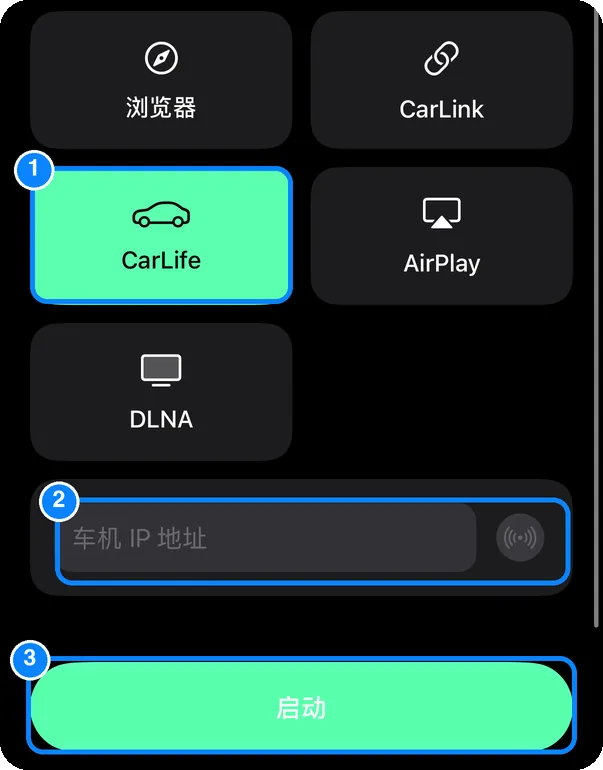
On the app’s home screen, choose CarLife, tap Start, then watch the ring on the home screen:
- % Percentage counting up: CarPlay is starting; wait for it to finish.
- Icon pulsing: CarPlay has started and is waiting for the head unit to connect. Go to the head unit now.
- Checkmark: the head unit is connected.
- Exclamation mark: the head unit didn’t connect; the app keeps retrying.
If the app can’t find the head unit, enter the Head unit IP address when asked (it’s shown in the head unit’s Wi-Fi settings).
Common situations
The head unit refuses the connection?
Under Settings → More CarLife settings → CarLife version, choose “CarLife 3.x (no authentication)” and connect again. The default, Auto, follows the head unit’s version.