CarLink phone link
Many Chinese head units come with a phone-link app (common names are Carlink, 手机投屏 Phone Cast and the like). OpenXPlay connects to it directly and shows CarPlay on the head unit, with no separate Wi-Fi needed. This CarLink is not 亿连 (Easy Connection), and OpenXPlay does not support Easy Connection.
Haven’t installed and set up the app yet? Start from Get started, choose your car and follow along step by step.
Open the phone-link app on the head unit
Start the head unit’s phone-link app (common names are Carlink or 手机投屏 Phone Cast) and leave it on the screen that waits for a phone. This CarLink is not 亿连 (Easy Connection), and OpenXPlay does not support Easy Connection. CarLink needs no separate Wi-Fi; the iPhone joins the head unit by itself.
Choose CarLink and a scheme
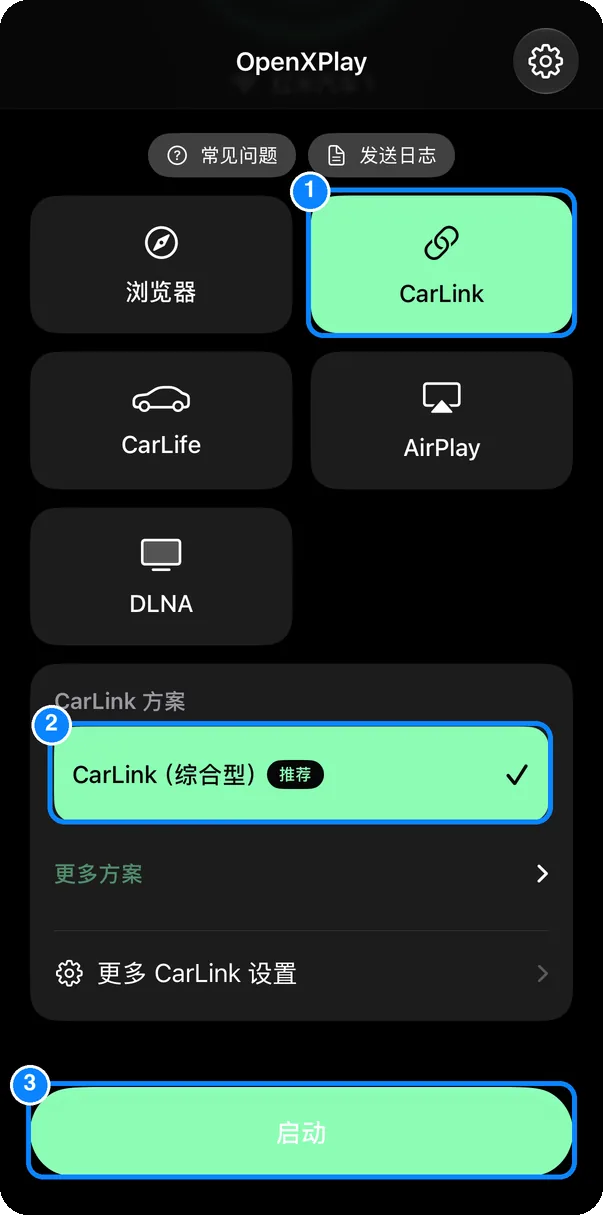
On the app’s home screen, choose CarLink, then a scheme:
| Scheme | When to use it |
|---|---|
| CarLink (Combined) Recommended | Try this first; it suits most cars |
| Leapmotor C10 | Leapmotor cars; once you choose the car, the app lists it first |
| MG7 | The MG MG7; once you choose the car, the app lists it first |
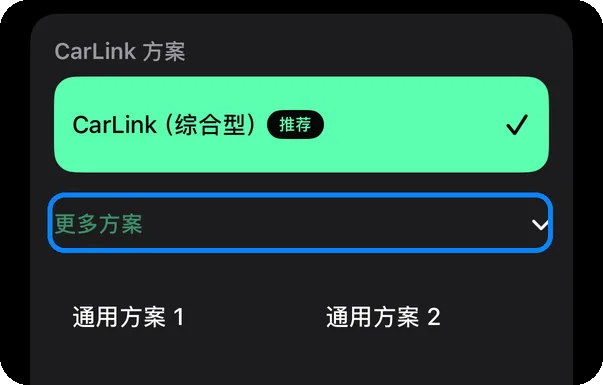
| Universal 1–4, Memorial | Under More schemes; try them one by one if the recommended scheme doesn’t work |
Start and wait for the head unit
Tap Start, then watch the ring on the home screen:
- % Percentage counting up: CarPlay is starting; wait for it to finish.
- Icon pulsing: CarPlay has started and is waiting for the head unit to connect. Go to the head unit now.
- Checkmark: the head unit is connected.
- Exclamation mark: the head unit didn’t connect; the app keeps retrying.
Connecting usually takes 10 to 30 seconds. Please wait; there’s no need to tap Start again.
If the head unit shows a pairing code (PIN), enter it on the iPhone and confirm quickly; the code changes periodically.
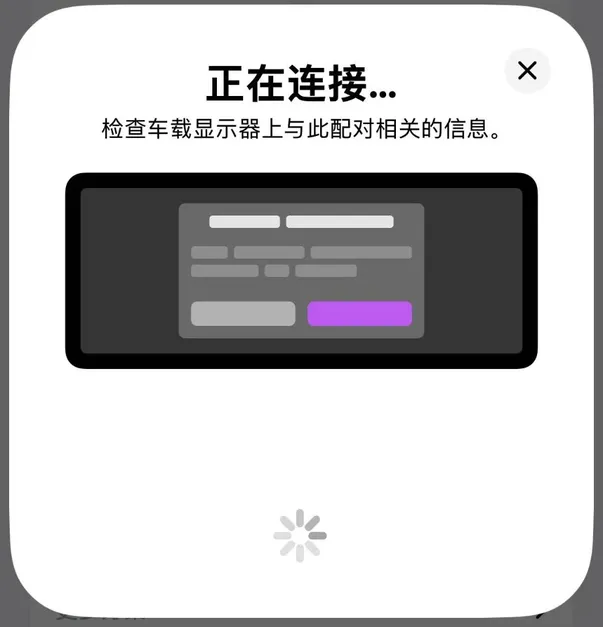
If the iPhone shows Connecting… and asks you to check the pairing information on the car display, just tap × at the top right to close it.
You’re done when CarPlay appears on the head unit. Next time, open the phone-link app and tap Start in the app.
Common situations
It never connects?
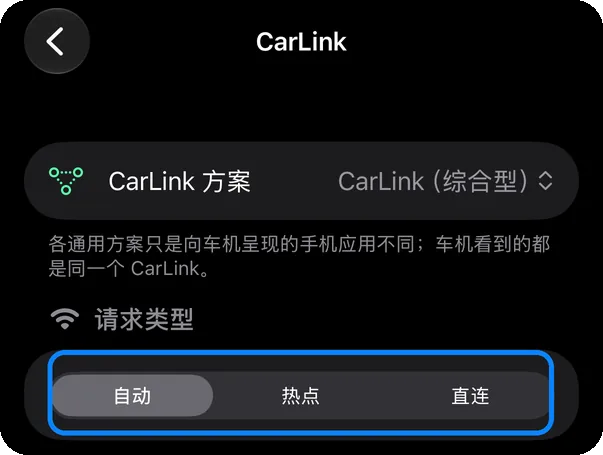
Try these in turn: choose another scheme under More schemes; on the home screen, change More CarLink settings → Request type to Hotspot or Direct; close the head unit’s phone-link app and open it again. Car compatibility lists the schemes that currently work for each car.
Which request type should I choose?
Usually leave it on Auto. With Hotspot, the iPhone joins the Wi-Fi hotspot the head unit opens; with Direct, the iPhone and the head unit connect to each other directly. If neither connects, try both.
What does a Leapmotor head unit need first?
Download ICCOA Carlink from the head unit’s app store first; see the Leapmotor steps.
Some cars have an experiment switch?
The Feifan F7, IM Motors and Dongfeng Nissan NX8 each have their own experiment switch in Settings. With these cars, turn it on and try connecting again.